Obsidian + Claude Code: Building a Freelance Knowledge Hub That Compounds With Every Project
My freelance knowledge was scattered across 6 locations. Every new project started from scratch. An Obsidian vault that Claude Code reads and writes to directly solved the problem: project n+1 inherits everything project n learned.

Lucas Clement
March 30, 2026
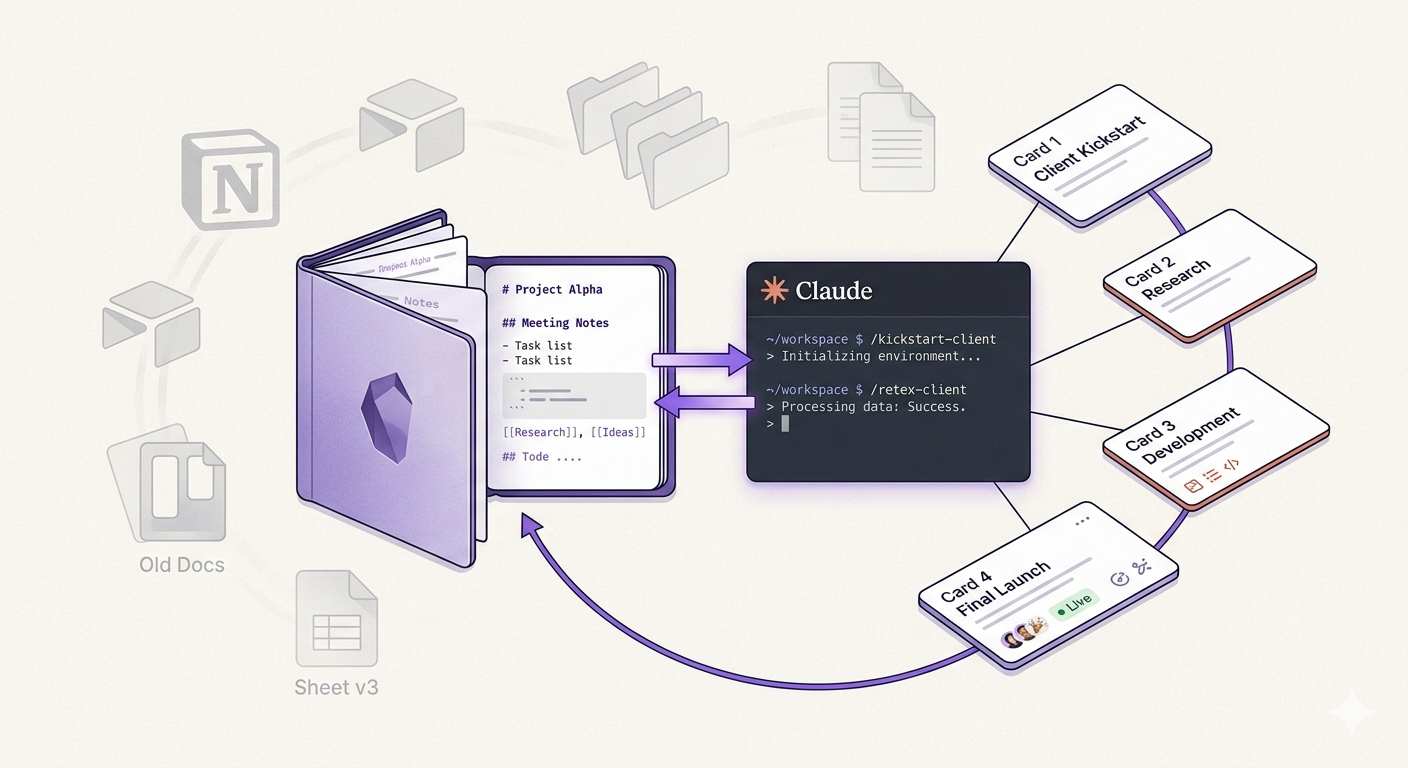
TL;DR: My freelance knowledge was scattered across 6 different locations. Every new project started from zero. An Obsidian vault that Claude Code reads and writes to directly changed everything: project n+1 inherits what project n learned. To reproduce the system, I wrote a complete step-by-step guide (French).
The problem: knowledge that dilutes
After about twenty client projects, I realized my freelance knowledge lived in half a dozen places: a Missions folder with scattered files per client, separate technical repos, a dedicated LinkedIn content workspace, case studies in duplicate (short and long versions in a separate folder, because why keep things simple), and admin folders that partially duplicated the mission folders.
A single client could have traces in four different locations. Goodloop existed in Missions/Goodloop/, Codebases/goodloop-n8n-workflows/, a case studies folder, and a dedicated Claude Code workspace. Four places, zero links between them.
The problem was amplified by Claude Code. Every new project started from scratch. Claude knew nothing about my positioning, my offer, the technical patterns solved on previous projects, or the history with a given client. Context re-provided every session, learnings lost, solutions rediscovered instead of reused. Every engagement started from a blank page when I'd already filled the notebook twenty times.
I tried the usual organization tools: Notion, Coda, Airtable bases. The problem isn't the tool, it's the maintenance. None of these systems ever motivated me to keep the knowledge current. You create the cards with enthusiasm, then forget to feed them because it requires effort separate from the actual work. What I needed was a system an AI assistant could maintain alongside me.
What triggered the move: the goal of scaling to 8 new clients per year. With more clients, fragmentation would only get worse. I needed a system that compounds instead of dilutes.
The insight: a folder of markdown files, nothing more
An Obsidian vault is a folder of .md files on disk. Claude Code knows how to read and write .md files natively. No API, no intermediary layer, no dependency. If Obsidian disappears tomorrow, it's still markdown readable by anything. It's perhaps the least glamorous decision in the whole architecture, but it's the one that carries everything else.
And critically, the system is bidirectional. Obsidian for human thinking, Claude Code for automated knowledge capture. Claude doesn't just read the vault, it feeds it too. Client cards, technical patterns, case studies: Claude Code creates and updates all of this directly in the files.
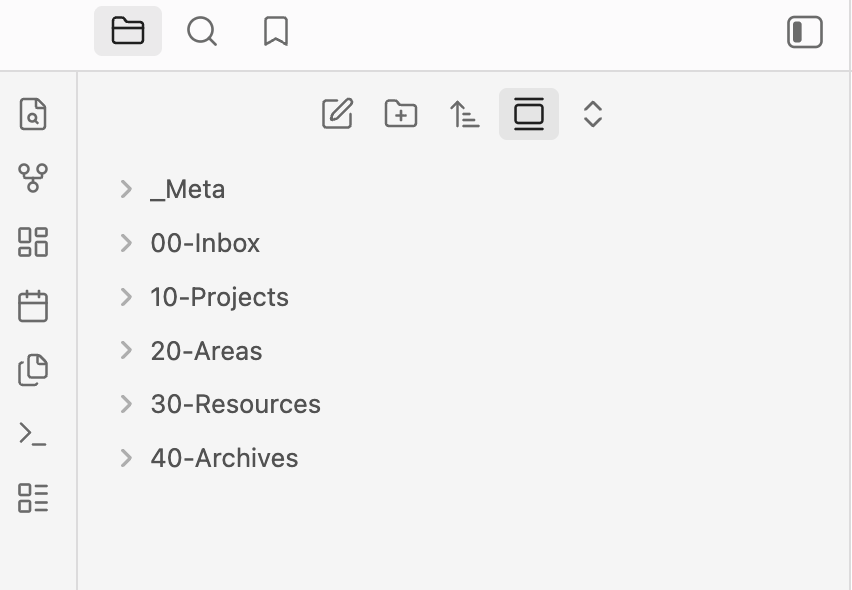
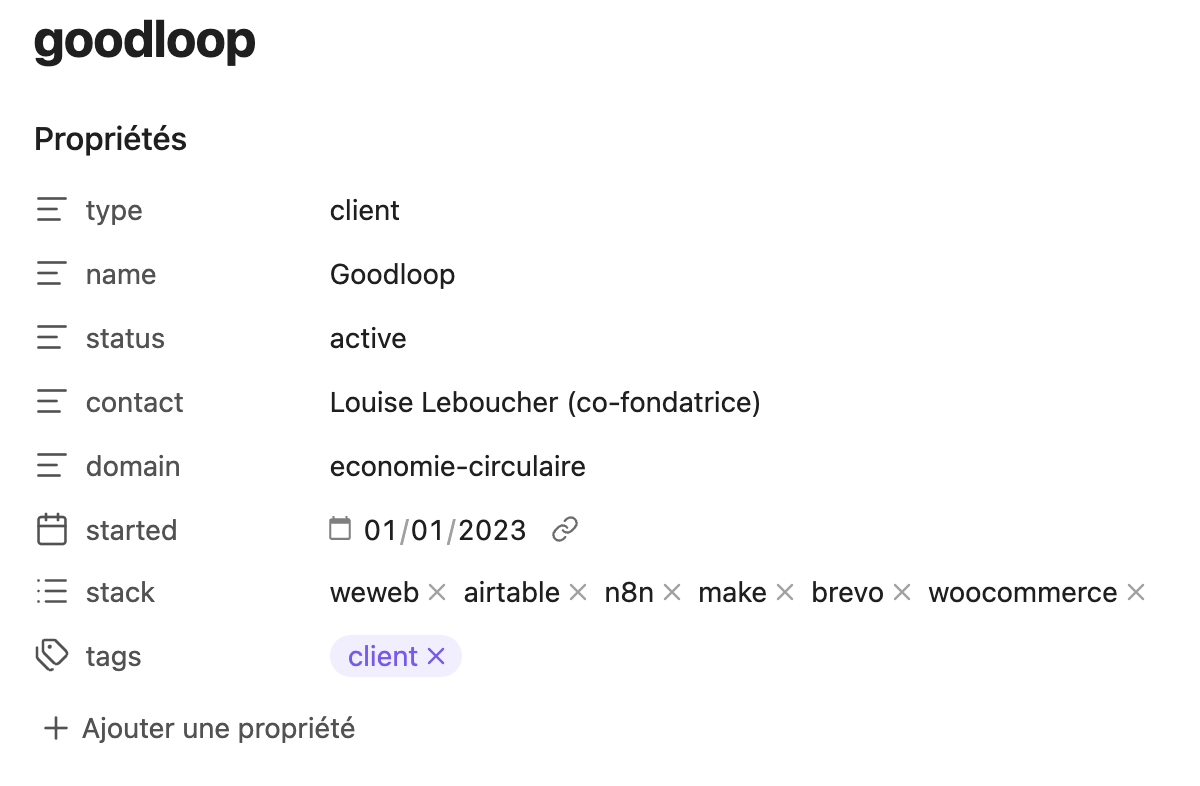
The structure follows PARA (Projects, Areas, Resources, Archive) with numeric prefixes for fixed sorting. Three levels deep max. And every note has a structured header that tells Claude what it's looking at — client card, technical pattern, case study — without having to interpret the content.
Building the system with Claude Code
I built mine step by step, with Claude Code as copilot. No grand plan upfront. Scattered notes, an assistant, and iteration.
The foundation
First, the folder structure. A single command creates the entire PARA tree:
mkdir -p 00-Inbox 10-Projects 20-Areas/{Business,Clients,Content,Tech} \
         30-Resources/{Case-Studies,Frameworks,Templates} 40-Archive _Meta
Then, the Business files that serve as the foundation: positioning, offer, technical stack. These files will be imported into every client project. To write them, I pointed Claude Code at my scattered notes:
Read the files in ~/Documents/notes/ and create a structured positioning
card in ~/vault/20-Areas/Business/positioning.md.
Target, value proposition, differentiation.
Claude roughed out the first version. I adjusted the tone and nuances. Same for everything else.
Client cards
For each client, a card: context, stakeholders, what was delivered, learnings. I started with the 3-4 most recent clients, while the context was still fresh.
Read the files in ~/Documents/Missions/Goodloop/ and create a client card
in ~/vault/20-Areas/Clients/goodloop-pro.md that conforms to the schema
defined in ~/vault/_Meta/Schema.md.
Claude extracts information from existing notes (emails, briefs, proposals) and organizes them into a structured card. In a few minutes, a client scattered across four folders has a single card with all the context.
The wiring
This is where it gets real. Each client workspace has a CLAUDE.md with @references pointing to the vault:
@~/vault/20-Areas/Business/positioning.md
@~/vault/20-Areas/Clients/goodloop-pro.md
@~/vault/10-Projects/goodloop-pro/index.md
@~/vault/_Meta/MOC-Patterns.md
These imports automatically load content into Claude Code's context. The essentials (positioning, client card, pattern index) are always there. The details (full patterns, case studies), Claude fetches when it needs them.
The test: open Claude Code in a client project folder and ask "Who is my current client and what's my positioning?". It answers with information from the vault, without you having to provide anything. If it answers, the wiring works.
Skills
The architecture is worthless if nobody maintains it. That's the lesson from all my previous attempts with Notion and the like: you create the cards with enthusiasm, then forget to feed them. Claude Code skills automate the key moments.
/kickstart-client takes a client name and a quick brief. In 30 seconds: client card, project folder, code workspace with a pre-wired CLAUDE.md, MOC updated. The project is ready, Claude has full context from the very first interaction.
/retex-client fires at the end of an engagement. Claude asks a few questions, then updates the client card, extracts reusable technical patterns, creates the case study if relevant, and archives the project. Two minutes, no more.
The retrospective is what makes the whole thing cumulative. Every completed project enriches the vault for the next ones — not through willpower (I tried that, it doesn't last), but through automation.
I co-wrote these skills with Claude Code. You describe what the skill should do, it generates the file, you test, you adjust. The skill improves with every use.
What it changes
Before: "New client → create a folder → re-provide context → reconfigure Claude Code → forget what we learned."
After: /kickstart-client "Acme Corp" "Logistics SMB, partner portal" → 30 seconds, Claude has full context.
Before: "End of project → close the folder → learnings die with the context."
After: /retex-client → patterns extracted, client card updated, case study created. The next project inherits all of it.
The cycle closes on itself:
New client
  → /kickstart-client
  → Project with full context from day 1
  → Normal work (the vault is consulted, not manually fed)
  → End of engagement
  → /retex-client
  → Patterns extracted, case study created, card archived
  → The vault is richer than before
  → Next client starts with more context
In numbers, the vault currently holds 12 client cards, 3 structured case studies, 3 automation skills, 4 business positioning files, and a technical pattern index that grows with every retrospective. All of it filled without dedicated effort, project after project.
What didn't migrate (by design): invoicing and contracts stay outside the vault. Code repos stay in place — their CLAUDE.md files point to the vault. Binary files have no place in a markdown vault. The vault stores knowledge. Everything else lives elsewhere.
Who this works for, and the limits
This system is for technical freelancers who chain client projects and use an AI-assisted coding tool. Prerequisites: comfort with markdown and an existing Claude Code (or equivalent) workflow.
The initial migration takes a few days. The note schema stabilizes over the first few projects, not on the first try. And the system is optimized for Claude Code, even though the principle applies to any AI assistant that can read files.
For a freelancer with 2-3 clients per year and no AI tool, a well-organized folder does the job. Day to day, Claude handles the automatic capture (extracting patterns, creating cards, updating indexes). The human refines the business nuances. A retrospective done in 2 minutes is worth more than a perfect one that never happens.
The complete step-by-step guide
To reproduce the system from A to Z, I wrote a detailed guide. From creating the vault to automating skills, with commands, file examples, and Claude Code prompts at every step.
Read the full step-by-step guide (French)
This article is part of the "Modern stack for independent builders" series. My projects in detail: Goodloop Pro, Izuba Mobile, BulQ.
Got a digital project to launch? Let's talk about your project.
Got a project in mind?
Let's chat for 30 minutes about how to structure your digital project.
Let's talk about your project